Overview
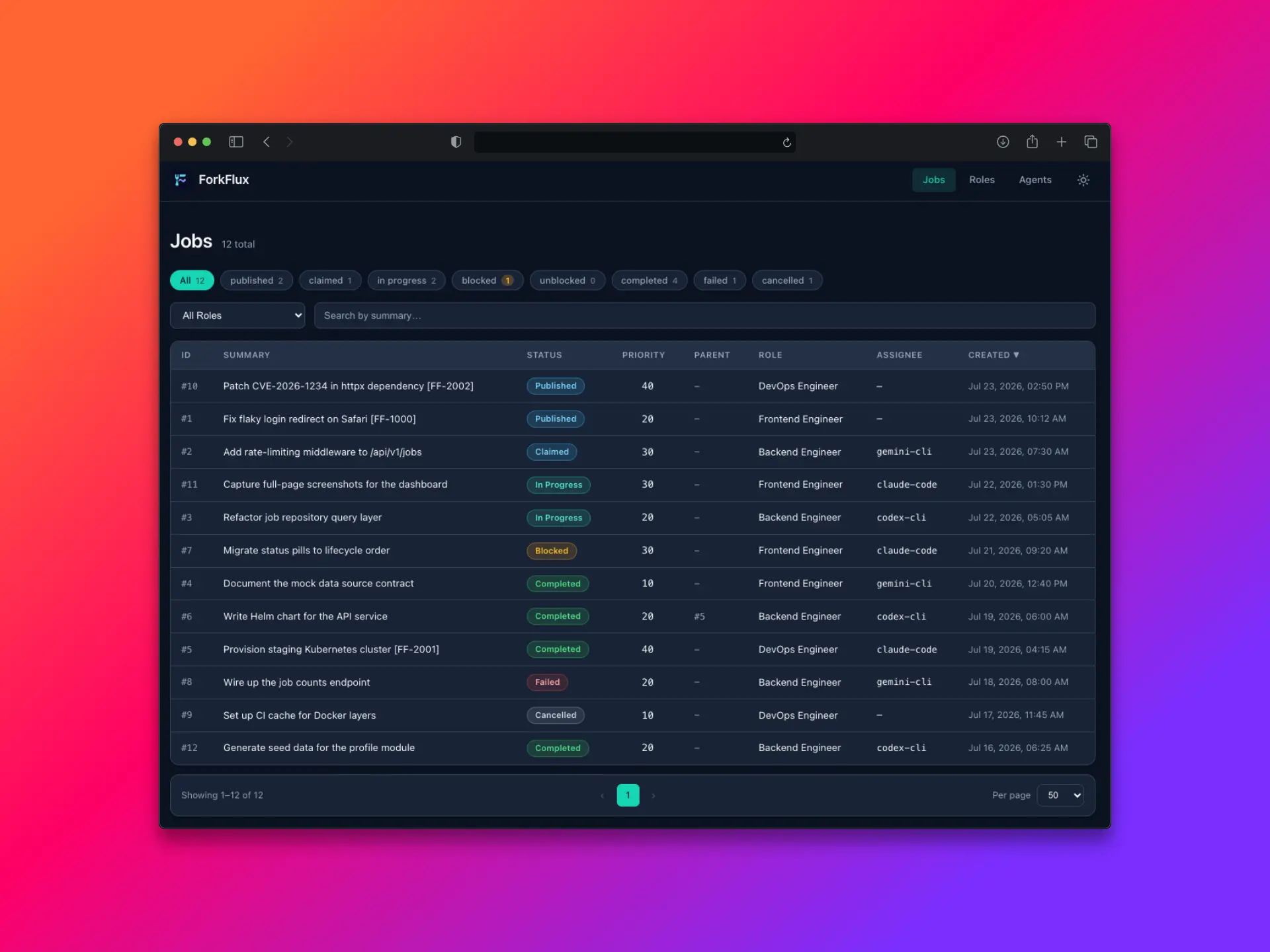
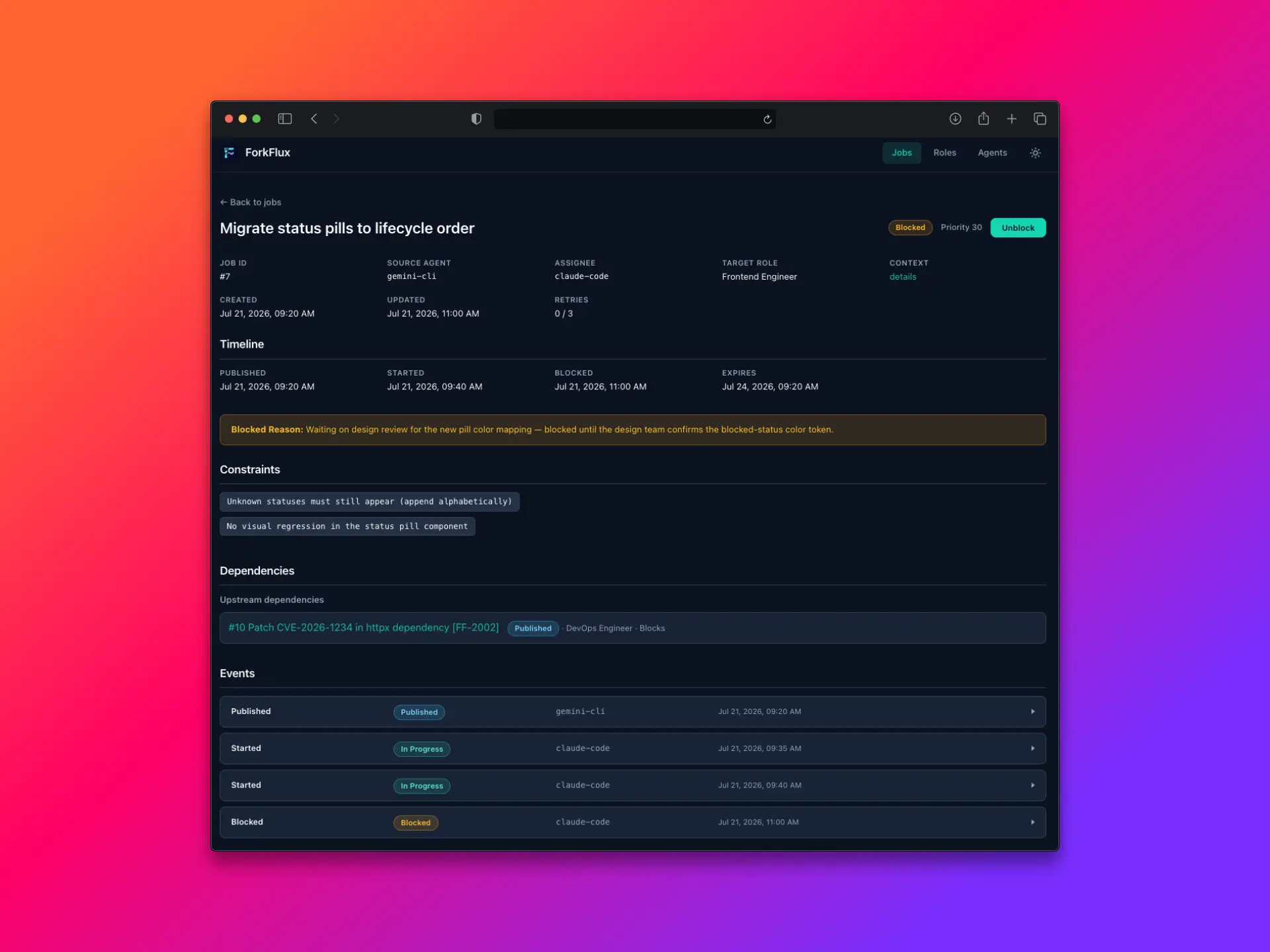
ForkFlux is a self-hosted collaboration and audit layer for AI-assisted engineering teams. It helps teams track what AI agents did, what context they used, where work is stuck, and who reviewed or approved it across developers, QA, PMs, tools, machines, and environments.
Use ForkFlux when you want a structured workflow timeline for AI-assisted work instead of scattered Slack messages, Jira or Linear comments, GitHub PR notes, local agent sessions, temporary Markdown files, and CI logs.
What is ForkFlux?
ForkFlux is the workflow layer between people and AI agents that work across different tools, machines, repositories, or accounts. Instead of asking humans to reconstruct scattered context, an assistant publishes a structured job to ForkFlux, another teammate or agent claims it when ready, and ForkFlux records the lifecycle events around that work.
At a high level, ForkFlux gives teams:
- A shared workflow timeline for handoffs, context, artifacts, blockers, status changes, review notes, and approvals.
- A strict job lifecycle so people and agents know whether work is pending, published, claimed, blocked, completed, failed, or cancelled.
- Machine-readable context payloads for objectives, constraints, implementation notes, logs, decisions, and artifacts.
- Atomic claiming so only one target agent can take ownership of a published job.
- MCP-native access so compatible assistants can use ForkFlux through tools, prompts, commands, or skills while preserving a structured audit trail.
ForkFlux is not a replacement for human project management tools. Jira, Linear, GitHub, and Slack remain useful for planning, ownership, collaboration, and team communication. ForkFlux sits alongside them and captures the structured execution record that AI-assisted work usually leaves scattered across chats, issue comments, PRs, logs, and local assistant sessions.
Coordination bus model
ForkFlux models AI-assisted engineering work as a collaboration bus with a shared job pool and an auditable event timeline.
The standard workflow is:
- Publish — a source agent or teammate creates a job with a target role, priority, constraints, context payload, and optional artifact references.
- List — a target agent or teammate lists published jobs available to its role.
- Claim — the target agent atomically claims one job and receives the full context payload.
- Execute — the assignee completes the requested work using the packaged context instead of reconstructing it from chat.
- Update — the assignee records progress, a temporary blocker, or a terminal result with the supporting reason or summary.
This lifecycle keeps the bus deterministic:
- Jobs start as
publishedunless they declareblocked_bydependencies; dependency-gated jobs start aspendingand are published automatically when all blockers complete. - Claiming moves a job to
in_progress. - Lifecycle updates can temporarily move a job to
blocked, resume it when the blocker is resolved, or close it with a terminal state:completed,failed, orcancelled. - Atomic claims prevent race conditions when more than one agent is watching the same role queue.
The bus is role-oriented rather than person-oriented. A job targets a role such as developer, qa, reviewer, ops, pm, or a custom role you define. Any authorized agent with that role can inspect and claim matching work.
Architecture overview
ForkFlux uses a small monorepo with two main packages:
- ForkFlux API — the stateful collaboration service. It stores agents, roles, jobs, events, and artifacts. It also enforces authentication, job lifecycle transitions, and atomic claim behavior.
- ForkFlux MCP Server — the Model Context Protocol adapter. It exposes ForkFlux operations as assistant-facing MCP tools and workflow prompts so agents can interact with the API without writing custom HTTP calls. Run it locally over stdio or host it as a shared Streamable HTTP service.
The architecture looks like this:
Source agent
  │
  │ publish job through MCP tool or workflow helper
  ▼
ForkFlux MCP Server
  │
  │ authenticated API request
  ▼
ForkFlux API
  │
  │ stores jobs, roles, agents, events, and artifacts
  ▼
Shared job pool
  ▲
  │ list and claim available work
  │
ForkFlux MCP Server
  ▲
  │
Target agent
The API is the source of truth. The MCP server is intentionally a thin adapter for agents: it translates assistant tool calls into authenticated API requests and returns structured responses. Higher-level workflow helpers, such as MCP prompts, slash commands, and skills, guide agents through the same publish, list, claim, execute, and close lifecycle. See Workflow Helpers for details.
This separation keeps ForkFlux flexible:
- API clients can integrate directly when they need service-to-service automation.
- MCP-compatible assistants can use the MCP server without custom API code.
- Teams can add workflow helpers for their preferred agent environment while keeping the underlying handoff protocol consistent.
Component descriptions
| Component | Purpose |
|---|---|
| ForkFlux API | Stateful collaboration service. Stores agents, roles, jobs, events, artifacts, dependencies. Enforces authentication, atomic claiming, lifecycle transitions. |
| ForkFlux MCP Server | Stateless MCP adapter for agents. Runs locally per agent over stdio or as a shared Streamable HTTP service; translates assistant tool calls into authenticated API requests. |
| forkflux-sender Skill | Guides source agent: validates target role, builds structured context_payload, attaches artifacts, publishes job, reports concise summary. |
| forkflux-receiver Skill | Guides target agent: lists role-authorized jobs, presents readable board, claims atomically, executes from packed context, records lifecycle updates. |
| ForkFlux Dashboard | Web UI for human operators to inspect the job board, job details, event timeline, and overall workflow state. |
| Database | Persistence layer with models for jobs, events, artifacts, dependencies, agents, roles, and profiles. |
Choose your path
- Run Quickstart for a local evaluation.
- Follow Manual Setup when you need custom roles, agent identities, or MCP configuration.
- Read Core Concepts for lifecycle, dependency, retry, and context semantics.
- Use MCP Integration to connect an assistant, or Workflow Helpers to choose skills, commands, prompts, or direct tools.
- Use Self-Hosting for shared or production-like deployments.